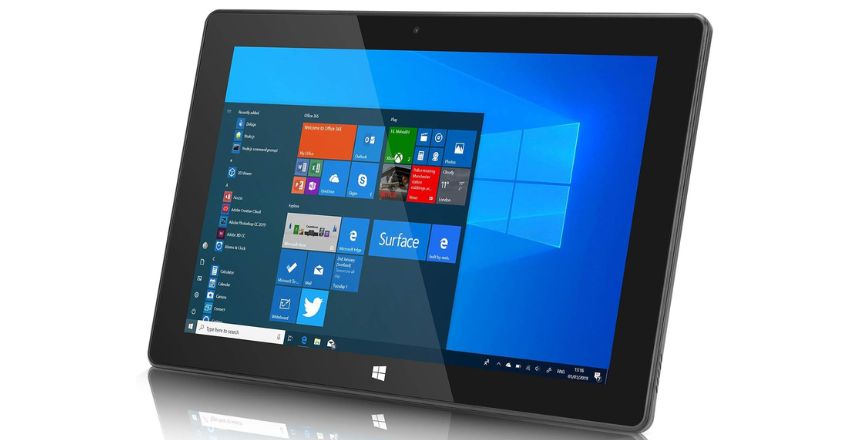
A Windows tablet is a touchscreen device that runs the full desktop version of Windows 11 rather than a mobile operating system, so it can run any Windows program you would install on a laptop. That is the whole point of the category. An iPad runs iPad apps; a Surface Pro runs Excel with macros, the full Adobe suite, older business software and anything else built for Windows. If you need that software on a device you can hold in one hand, a Windows tablet is the right choice. If you mostly read, stream and browse, it usually is not.
The market shifted in June 2026, when Microsoft replaced the 11th Edition Surface Pro with the 12th Edition and split the range into a 12-inch model from £679 and a 13-inch model from £1,152, the larger one now running Qualcomm’s second-generation Snapdragon X2 Plus and X2 Elite chips. This guide covers what to buy at each budget, what the specifications mean in daily use, the true cost once you add a keyboard and pen at current Microsoft UK prices, and the two compatibility questions, Arm software support and Windows 10’s end of life, that trip up most first-time buyers.
Quick Answer: Which Windows Tablet Should You Buy?
- Best for most people: Surface Pro 12-inch (12th Edition) with 16GB of RAM, from £679 plus £189 for the keyboard and pen bundle.
- Best desktop replacement: Surface Pro 13-inch with the Snapdragon X2 Elite and USB4 ports, from £1,152.
- Best if you need guaranteed software compatibility: an Intel Core Ultra model, such as the outgoing Surface Pro 11th Edition Intel or a Lenovo ThinkPad X12 Detachable.
- Best for artists: ASUS ProArt PZ13, with its 3K OLED panel and included keyboard.
- Best on a tight budget: an Intel N150 budget slate at £200–£350, for light work only.
Windows Tablet vs iPad vs Android: What You Are Really Choosing
| Factor | Windows tablet | iPad | Android tablet |
|---|---|---|---|
| Software | Any Windows desktop program | App Store apps only | Play Store apps only |
| File management | Full File Explorer, any file type | Improved but still sandboxed | Reasonable, varies by manufacturer |
| External storage | USB drives, SD cards and external SSDs work natively | Supported but limited | Generally good |
| Multiple monitors | Yes, full desktop extension | Limited | Limited |
| Battery life, manufacturer claim | Up to 16 hours video playback on the 12-inch Surface Pro; 12 hours web browsing | 10–14 hours | 8–12 hours |
| Touch app quality | Weakest of the three | Best in class | Good |
| Entry price | About £200 budget, £679 premium | About £329 | About £150 |
Put simply, a Windows tablet is the best of the three if you need desktop software and the weakest if you mainly want a sofa device. Touch-first Windows apps are still scarce, and using desktop programs with a fingertip remains a compromise that years of interface tweaks have not fully solved. Most owners end up using a keyboard and trackpad for the majority of the time and switching to touch or pen for specific tasks such as annotating PDFs, sketching or presenting.
Pay attention to how battery life is quoted. Microsoft’s headline numbers are for local video playback, the gentlest possible test. Its own web browsing figures for the same devices are four hours lower, and real mixed use with video calls, a bright screen and dozens of browser tabs will be lower still. Treat any manufacturer claim as a ceiling, not an average.
What Changed in 2026
Three developments since the last generation of buying advice change what you should buy.
- The Surface Pro 12th Edition launched on 16 June 2026. It is one product in two sizes, rather than separate Arm and Intel versions at similar prices, which removes a real source of confusion from the old line-up.
- Second-generation Arm chips reached the 13-inch model. The Snapdragon X2 Plus has 10 cores and the X2 Elite has 12, compared with the 8-core Snapdragon X Plus that stays in the 12-inch.
- Windows 10 is now a year past end of support. Microsoft ended support on 14 October 2025. This matters most in the second-hand market, where a cheap older Surface may be a device without a supported operating system rather than a bargain.
The Best Windows Tablets to Buy in 2026
Prices below are for the tablet alone. Read the accessories section before setting a budget, because the headline price is rarely what you end up spending. Microsoft’s UK prices come from its Surface Pro product page; third-party prices fluctuate much more, so treat those as a guide.
| Model | Processor | Screen | UK price | Best for |
|---|---|---|---|---|
| Surface Pro 12-inch (12th Edition) | Snapdragon X Plus, 8-core | 12in LCD, 2196 x 1464, 90Hz | From £679 | The best balance of size, battery and price |
| Surface Pro 13-inch (12th Edition) | Snapdragon X2 Plus, 10-core, or X2 Elite, 12-core | 13in OLED or LCD, 2880 x 1920, 120Hz | From £1,152 | Premium all-rounder with USB4 and a faster display |
| Surface Pro 11th Edition, Intel | Intel Core Ultra Series 2 (Lunar Lake) | 13in, 120Hz | £900–£1,500, falling as stock clears | Anyone needing guaranteed x86 compatibility |
| ASUS ProArt PZ13 | Snapdragon X | 13.3in 3K OLED | £800–£1,100, often discounted | Colour-accurate creative work; keyboard included |
| Lenovo ThinkPad X12 Detachable | Intel Core Ultra | 12.3in | £1,100–£1,500 | Corporate fleets and IT manageability |
| Dell Latitude Detachable | Intel Core Ultra | 13in | £1,300–£1,700 | Field work with 5G and long support cycles |
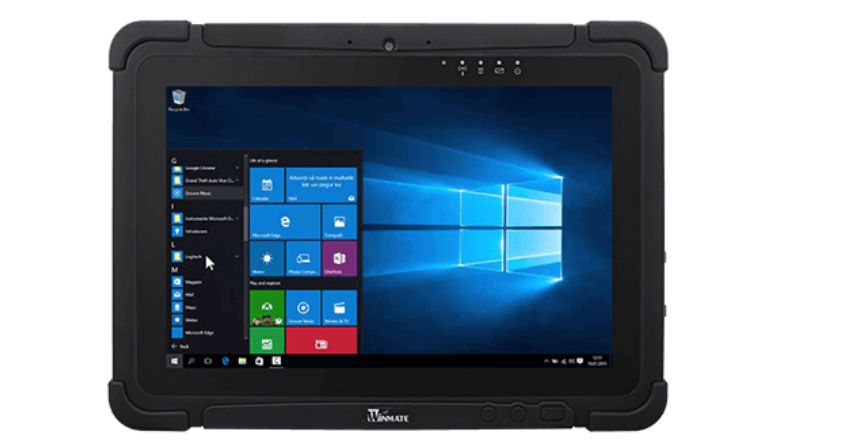
| Getac F110 / Panasonic Toughbook G2 | Intel Core | 11–11.6in | £2,500–£4,000 | Construction, utilities and emergency services |
| Chuwi / Teclast budget slates | Intel N100 / N150 | 11–13in | £200–£350 | Light browsing, documents, a spare device |
12-inch or 13-inch Surface Pro? The Differences That Matter
The two sizes are not simply the same tablet scaled up or down. There is £473 between them, and most of that buys things you will notice every day.
| Specification | Surface Pro 12-inch | Surface Pro 13-inch |
|---|---|---|
| Price from | £679 | £1,152 |
| Processor | Snapdragon X Plus, 8 cores | Snapdragon X2 Plus, 10 cores, or X2 Elite, 12 cores |
| Display | 2196 x 1464 LCD, 90Hz | 2880 x 1920 OLED or LCD, 120Hz |
| Ports | 2 x USB-C, USB 3.2 only | 2 x USB-C with USB4, plus Surface Connect |
| Weight, tablet only | About 680g | About 894g |
| Battery, video playback | Up to 16 hours | Up to 15.5 hours |
| Battery, web browsing | Up to 12 hours | Up to 11.5 hours |
| Pen storage and charging | Magnetically on the back of the tablet | In the keyboard |
| Keyboard | Pro 12-inch Keyboard | Pro Flex 13-inch Keyboard, usable when detached |
Ports: the difference that matters most later
USB 3.2 on the 12-inch limits you to 10Gbps and rules out Thunderbolt docks and external graphics. The 13-inch’s USB4 ports support full docking at 40Gbps. If the tablet will sit on a desk driving two monitors for part of the week, that alone justifies the larger model. If it will mostly travel with you, the 12-inch’s ports are fine for charging, a hub and one screen.
Pen storage: a small daily irritation or convenience
On the 12-inch, the Slim Pen clings to the back of the tablet and charges there. That suits tablet mode, but when the device is propped on a desk the pen is tucked underneath it. On the 13-inch the pen sits in the keyboard, which is tidier when docked and no help at all if you have left the keyboard at home.
Weight: more noticeable than the numbers suggest
The 214g gap sounds trivial on paper, but you feel it quickly when holding a tablet in one hand to sketch, read or take notes. In practice the 12-inch is the one people actually use as a tablet; the 13-inch is a laptop that happens to detach.
Arm or Intel? The Decision That Matters Most
Every current Surface Pro uses a Qualcomm Snapdragon processor built on Arm architecture. Intel Core Ultra models are still on sale, mainly as previous-generation stock and from business brands such as Lenovo and Dell, and they remain the right answer for some buyers. The two are not interchangeable.
Arm models deliver much better battery life and run silently, since most have no fan. Windows runs software written for traditional x86 processors through a built-in emulation layer called Prism, and for mainstream productivity apps the results are now genuinely good. Microsoft 365, Chrome, Zoom, Spotify and Adobe’s main applications all have native Arm versions, so they need no translation at all.
Where Arm still struggles: games with kernel-level anti-cheat, older or specialist hardware drivers (scientific instruments, label printers and some scanners), certain corporate VPN clients, niche engineering packages and virtual machine software. If you rely on an unusual application, check for Arm support specifically before you buy. Use the vendor’s own compatibility page rather than old forum threads, because support has improved a lot over the past two years.
Intel models take that risk away: everything runs. You pay with shorter battery life, fan noise under load and, increasingly, fewer models to choose from, since the tablet market has moved firmly towards Arm. For email, documents, browsing and video calls, Arm is now the better pick. If you have legacy software obligations, a business-range Intel machine is still the safe choice.
A quick compatibility check before you buy
- List every program you use at least once a month, including printer and scanner software.
- Check each vendor’s site for “Windows on Arm” or “Arm64” support.
- Ask your employer’s IT team whether their VPN, security agent and device management tools support Arm.
- If you game, look up each title’s anti-cheat system; if it uses kernel-level anti-cheat, assume it will not run on Arm.
- If anything fails these checks, buy Intel, or buy Arm from a retailer with a generous returns window and test it in the first few days.
Is It a Copilot+ PC, and Does That Matter?
Every Surface Pro in the current range is a Copilot+ PC, which Microsoft defines as a Windows 11 machine with a neural processing unit (NPU) capable of more than 40 trillion operations per second. Budget slates using Intel N100 and N150 chips are not, and never can be, because the NPU requirement is a hardware threshold rather than a setting.
The badge unlocks a set of on-device features: Cocreator image generation, Restyle Image, Live Captions with real-time translation, a smarter Windows Search that finds files from a plain-language description, and automatic framing on video calls. They run locally rather than in the cloud, which is why they need the NPU.
Whether that is worth paying for is up to you. None of it is essential, and most Copilot+ owners use two or three of the features occasionally. The main reason to understand it is that it explains why a £679 Surface Pro and a £250 budget slate are not simply the same product at different speeds.
Windows 10’s End of Support: The Second-Hand Trap
Microsoft ended support for Windows 10 on 14 October 2025. Devices still running it no longer receive free security updates, which matters a great deal in the used market, where older Surface Pro and Surface Go models are cheap and plentiful. Microsoft’s end of support page says machines enrolled in the consumer Extended Security Updates programme stay protected until 12 October 2027, which buys time but does not solve the problem.
Before buying anything second-hand, confirm the device meets Windows 11’s requirements: a 64-bit processor on Microsoft’s supported list, TPM 2.0, UEFI with Secure Boot, at least 4GB of RAM and 64GB of storage. In practice that rules out most Windows tablets released before about 2019, including the many bargain Surface Pro 4 and Surface 3 units still in circulation. A £120 tablet that cannot run a supported operating system is not a bargain.
Check the Windows 11 version too
Running Windows 11 is not the same as running a supported Windows 11. Each annual version has its own support window, and a refurbished machine that has sat in a warehouse may be two versions behind.
| Windows 11 version | Released | Updates end (Home and Pro) |
|---|---|---|
| 23H2 | 31 October 2023 | Already ended |
| 24H2 | 1 October 2024 | 13 October 2026 |
| 25H2 | 30 September 2025 | 12 October 2027 |
| 26H1 | 10 February 2026 | 14 March 2028 |
These dates come from Microsoft’s Windows 11 release health information. For anyone buying in late 2026, the practical point is that 24H2 drops out of support in October, so a device shipped with it needs updating straight away, and one still on 23H2 is already unsupported and may not upgrade cleanly if its hardware is borderline. To check, open Settings, then System, then About, and look at the “Version” line under Windows specifications.
Specifications That Actually Matter
- RAM. 16GB is now the sensible target and the single upgrade that most improves day-to-day feel. 8GB is the practical minimum and will feel tight with many browser tabs open alongside Office. RAM is soldered on every Windows tablet, and on Arm machines it is packaged with the processor, so the configuration you buy is permanent.
- Storage. 256GB is the smallest worth buying. Windows, its updates and a recovery partition take a sizeable share of a 128GB drive. Some Surface models allow the user to replace the SSD, which is unusual; check the specification sheet rather than assuming.
- Display. The 120Hz panel on the 13-inch Surface Pro is noticeably smoother for pen input and scrolling than the 12-inch’s 90Hz. OLED gives deeper contrast for video and photo work; LCD is cheaper and often easier to read in direct sunlight.
- Pen support. Look for at least 4,096 pressure levels, which the Surface Slim Pen offers, plus tilt recognition if you draw or annotate. Cheap capacitive styluses that work on any screen are a different thing entirely and useless for artwork.
- Ports. Two USB-C ports with USB4 or Thunderbolt is the most useful arrangement, allowing you to charge and dock. USB 3.2 only, as on the 12-inch Surface Pro, handles a hub and one monitor but not a full docking setup. Budget slates often have one USB-C port and a micro-HDMI, which quickly becomes frustrating.
- Connectivity. Expect Wi-Fi 6E or Wi-Fi 7 on current models. Built-in 5G is available on some business configurations and usually adds £150 to £250; it is only worth it if you regularly work away from trusted networks.
The Real Cost: Accessories Are Not Optional
This is where Windows tablet budgets go wrong. The advertised price never includes the keyboard or pen, and a detachable without a keyboard is a frustrating device. The figures below are Microsoft’s own UK prices at the time of writing, including the discounts it was running then; they change, so check before ordering.
| Item | Microsoft UK price | Do you need it? |
|---|---|---|
| Surface Pro 12-inch Keyboard | From £115 (was £149.99) | Essential for anything beyond watching media |
| Surface Pro 12-inch Keyboard with Slim Pen | From £189 (was £249.99) | The sensible bundle if you want the pen at all |
| Surface Pro 13-inch Keyboard | £125 (was £139.99) | Essential |
| Surface Pro 13-inch Keyboard with pen storage | From £179.99 | Worth the premium over the plain keyboard |
| Surface Pro 13-inch Flex Keyboard | £339 | Only if you want to type with the keyboard detached |
| Surface Pro 13-inch Flex Keyboard with Slim Pen | From £439 | The most expensive way to do the same job |
| Surface Slim Pen on its own | £62 (was £119.99) | Only if you draw or annotate |
| Surface Thunderbolt 4 Dock | £264 (was £319) | Desk use with several monitors, 13-inch only |
| Surface USB4 Dock | £199.99 | A cheaper full-docking option |
| Surface USB-C Travel Hub | £99.95 | Enough for one monitor and a few accessories |
| Surface 45W USB-C Wall Charger | £49.99 | Convenient; most models accept standard USB-C PD chargers |
| Protective case, third party | £25–£60 | Recommended, as repairs are expensive |
Three realistic budgets
| Setup | What you buy | Total |
|---|---|---|
| Student kit | 12-inch Surface Pro plus 12-inch Keyboard with Slim Pen | £868 |
| Mobile professional | 13-inch Surface Pro plus 13-inch Flex Keyboard with Slim Pen | £1,591 |
| Desk and travel | 13-inch Surface Pro, Flex Keyboard with Slim Pen, plus Surface USB4 Dock | About £1,791 |
That last figure is a lot of money for what is, in the end, a 13-inch computer, so budget honestly. Also check whether the model you are considering includes a keyboard: some ASUS and Lenovo configurations do, while Microsoft’s never have. A competitor that looks £200 dearer may actually work out cheaper once the keyboard is counted.
Types of Windows Tablet
Detachable 2-in-1. The dominant format: a slate with a magnetic keyboard cover and a built-in kickstand, which on the current Surface Pro opens to 165 degrees. Very flexible, but the thin keyboard and rear kickstand make true lap use awkward compared with a laptop.
Convertible. A laptop with a 360-degree hinge that folds flat into a tablet. Heavier and thicker than a detachable, but far steadier on your lap and usually better for ports and cooling. If you are deciding between a detachable and a small clamshell, our look at the Surface Laptop Go 2 covers what you gain and lose by giving up the detachable screen.
Pure slate. No keyboard at all, aimed at point-of-sale, kiosk and signature-capture roles in shops, warehouses and clinics.
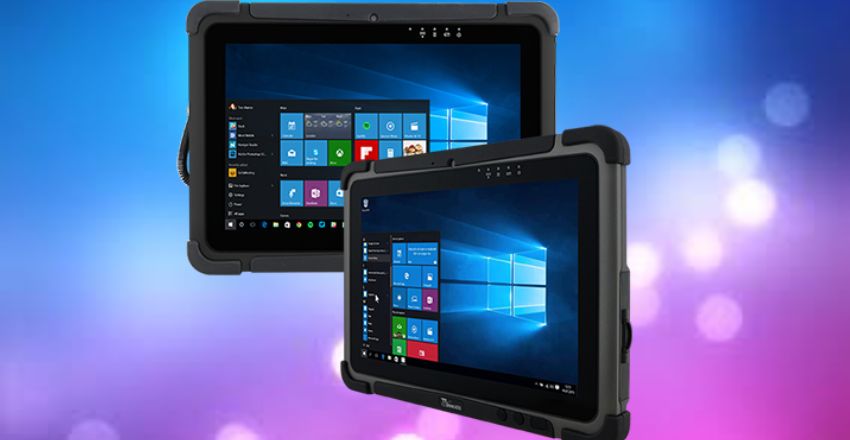
Rugged tablets. Built to military drop-test standards, with IP65 or IP66 sealing, glove-friendly touch modes and screens readable in daylight. Prices start around £2,500 because volumes are small and certification is costly. They are bought by utilities, logistics firms and emergency services rather than consumers, and are often specified alongside rugged laptops on the same service contract.
Handheld gaming PCs. Devices such as the ASUS ROG Ally and Lenovo Legion Go are technically Windows tablets with built-in controllers, and they run the full Windows desktop when docked. Worth considering if gaming is your main priority.
Gaming on a Windows Tablet
Keep expectations realistic. Standard Windows tablets use integrated graphics in a thin, heat-limited chassis. Intel’s Arc integrated graphics in current Core Ultra chips will run older and lighter titles at 1080p with reduced settings, and indie games run happily, but demanding modern games at native resolution are out of reach.
Arm tablets are more limited still. Many multiplayer games with kernel-level anti-cheat simply refuse to launch on Arm hardware. That is a hard block, not a performance problem, and no number of extra cores in the Snapdragon X2 Elite will change it.
The practical solution is streaming. Xbox Cloud Gaming, GeForce Now and Steam Link over a good home connection all work well on a Windows tablet and move the heavy lifting elsewhere. For local play, a dedicated handheld is the better buy.
Which One Should You Buy?
Student or general home user, up to £900. The 12-inch Surface Pro with 16GB of RAM and 256GB of storage, plus the £189 keyboard and pen bundle, for £868 in total. You get all-day battery, silent running and full Office compatibility. The 90Hz LCD and USB 3.2 ports are the compromises, and neither matters much for coursework.
Professional who wants one device for everything, £1,200 to £1,800. The 13-inch Surface Pro with the X2 Elite, an OLED screen, 16GB of RAM and 512GB of storage. Its USB4 ports make it a real desktop replacement with a dock, which the 12-inch is not. Choose a business-range Intel machine instead if any of your software is unusual.
Artist or designer, around £1,100. The ASUS ProArt PZ13 for its calibrated OLED panel and included keyboard, or a 13-inch Surface Pro with the Slim Pen. Prioritise the 120Hz refresh rate and pen tilt support over raw processor speed; a drawing tablet that drops frames while inking is worse than a slower one that does not.
Occasional use or a second device, under £350. An Intel N150 budget slate. It is slow but usable for documents, streaming and browsing, and a sensible way to find out whether the format suits you before spending four figures. Accept that it will never be a Copilot+ PC and that 8GB of RAM is the ceiling on most of them.
Field or industrial work. A Getac or Panasonic rugged unit, bought through a specialist reseller with a service contract rather than from a high-street retailer.
Buying Used and Refurbished
Windows tablets lose value quickly, and the arrival of the 12th Edition in June 2026 has pushed 11th Edition prices down sharply. Manufacturer-refurbished units are often 30 to 40 per cent cheaper than new and come with a warranty. Buy refurbished from the manufacturer or a recognised reseller rather than from marketplace listings.
Check five things on any used device:
- It runs a supported version of Windows 11, not Windows 10 or 23H2.
- Battery health is reasonable; batteries in sealed tablets are expensive to replace and often not worth it.
- The screen shows no delamination or lifting at the edges, a known fault on older detachables that cannot be fixed cheaply.
- Any included keyboard is the right generation, because Surface keyboards do not swap between the 12-inch and 13-inch models.
- The device has been removed from the previous owner’s Microsoft account and any company management, so you can set it up as your own.
If you are building a mobile working setup, our guide to portable printers pairs well with a tablet-first workflow. If you plan to dock the tablet at a desk, read our comparison of 2K monitors before spending on a dock.
Where to Buy in the UK
Microsoft sells Surface devices directly through its UK online store, which is usually the first place to see new launches and official bundle discounts. Major UK electrical retailers and online marketplaces also stock Surface Pro, ASUS, Lenovo and Dell tablets, and their prices often undercut Microsoft’s during seasonal sales, particularly on outgoing models. Business buyers generally do better through an authorised reseller, which can bundle warranty upgrades, deployment services and volume pricing.
Wherever you buy, compare the exact configuration rather than the model name. Two listings for the “same” Surface Pro can differ in processor, RAM, storage, screen type and whether a keyboard is included, and those differences can add up to several hundred pounds. Note the returns policy too: UK consumers generally have 14 days to cancel most online purchases, which gives you a window to test that your essential software runs properly on an Arm device. Keep the original packaging until you are sure, and avoid peeling off protective films or registering accessories until you have confirmed the tablet suits your workflow.
Getting the Most From the Battery
Because battery claims are best-case figures, a few habits make a real difference to how long a Windows tablet lasts between charges.
- Use native Arm apps where they exist. Software running through emulation works the processor harder and drains the battery faster than a native version.
- Lower the refresh rate when you do not need it. Dropping a 120Hz screen to 60Hz in Display settings saves power during long reading or writing sessions.
- Turn on Energy Saver. Windows 11’s Energy Saver mode limits background activity and can be set to switch on automatically below a chosen charge level.
- Watch browser tabs. Dozens of open tabs, especially with video or live dashboards, are one of the biggest drains on any thin device.
- Protect long-term battery health. If the tablet spends most of its life plugged in at a desk, enable any charge-limiting option the manufacturer provides so the battery is not held at 100 per cent all day.
Who Should Not Buy a Windows Tablet
A Windows tablet is a compromise by design, and for some buyers the compromise lands in the wrong place. If you mostly watch video, read and browse on the sofa, an iPad or a good Android tablet will feel more polished and cost less. If you spend most of your working day typing with the device on your lap, a conventional laptop or a convertible will be more comfortable. And if your main goal is gaming, a handheld gaming PC or a laptop with dedicated graphics will do a far better job than any Surface Pro. The Windows tablet earns its price when you genuinely need desktop software and genuine portability in the same device.
Buying for a Business
Companies buying Windows tablets in volume should look beyond the headline specification. Check that the model is supported by your device management platform, such as Microsoft Intune, and that your security software has a native Arm version if you choose Snapdragon models. Business ranges from Lenovo, Dell and Microsoft’s own Surface for Business line typically offer longer warranty options, on-site repair and consistent hardware across a buying cycle, which makes support easier. Ask about accidental damage cover, because detachable screens and keyboards are the parts most often broken in daily use, and confirm how long the vendor promises firmware and driver updates for the specific model.
Common Mistakes When Buying a Windows Tablet
- Comparing tablet-only prices. Always compare the full setup cost, including keyboard and pen.
- Buying 8GB of RAM to save money. It cannot be upgraded later, and it is the most common reason a tablet feels slow after a year or two.
- Assuming every program will run on Arm. Check specialist software, drivers and VPN clients first.
- Picking the 12-inch for a desk-bound role. Without USB4, multi-monitor docking is limited.
- Buying a cheap used Surface on Windows 10. Without Windows 11 support, it is a security risk rather than a saving.
- Ignoring the returns window. Buy from a retailer that lets you test compatibility for at least 14 days.
Setting Up a New Windows Tablet
- Run Windows Update repeatedly until no more updates appear, including firmware and driver updates.
- Check the Windows 11 version under Settings, System, About, and install any pending feature update.
- Install your essential apps first and confirm each one runs properly, especially on Arm.
- Turn on BitLocker or device encryption and make a note of the recovery key in your Microsoft account.
- Adjust power settings for battery life and set the pen’s buttons and pressure in Settings, Bluetooth and devices.
- Register the device with the manufacturer so warranty claims are straightforward.
Bottom Line
For most people in 2026, the 12-inch Surface Pro with 16GB of RAM and the keyboard and pen bundle, at £868, is the Windows tablet to buy. Step up to the 13-inch only if you need USB4 docking, a 120Hz screen or extra processing power, and choose Intel only if your software genuinely demands it. Whatever you pick, budget for the keyboard, check Arm compatibility in advance and make sure any used device runs a supported version of Windows 11.
Frequently Asked Questions
Can a Windows tablet replace a laptop?
For most office and study work, yes. A current Surface Pro with 16GB of RAM handles Office, browsing, video calls and light creative work as well as a mid-range laptop. The compromises are lap comfort, since a kickstand and thin keyboard are unstable on your knees, and sustained heavy tasks such as video rendering. If you need two external monitors, choose the 13-inch model with USB4.
How much does a Surface Pro cost in the UK in 2026?
The Surface Pro 12th Edition starts at £679 for the 12-inch model and £1,152 for the 13-inch, and neither includes a keyboard. Microsoft’s 12-inch keyboard and Slim Pen bundle costs £189 and the 13-inch Flex Keyboard with Slim Pen costs £439. A realistic total is £868 for the small model and about £1,591 for the large one.
What is the difference between an Arm and an Intel Windows tablet?
Arm models with Snapdragon X and X2 chips offer much better battery life and run silently, but rely on the Prism emulation layer for software not built for Arm. Intel Core Ultra models run every Windows program natively, at the cost of shorter battery life and some fan noise. Choose Intel if you depend on specialist software, virtual machines, unusual drivers or games with anti-cheat.
What is the difference between the 12-inch and 13-inch Surface Pro?
The 13-inch has a faster processor with more cores, a sharper 120Hz display with an OLED option, USB4 ports and a Surface Connect port. The 12-inch is £473 cheaper and 214g lighter, with a 90Hz LCD and USB 3.2 ports only. The port difference is the one most likely to matter later if you plan to dock it.
Do Windows tablets run Android apps?
Not natively any more. Microsoft has discontinued the Windows Subsystem for Android, so there is no official Microsoft route for running Android apps. Third-party emulators exist but perform poorly, particularly on Arm tablets, so if Android apps matter to you, buy an Android tablet.
Can I still use a Windows 10 tablet?
It will keep working, but Microsoft ended Windows 10 support on 14 October 2025, so it no longer gets free security updates. Devices enrolled in the consumer Extended Security Updates programme stay protected until 12 October 2027. Most models released before about 2019 cannot upgrade to Windows 11 because they lack TPM 2.0 or a supported processor.
How long do Windows tablets last?
Expect four to six years of useful life. The processor and RAM usually stay adequate for longer than the battery, which in sealed tablets degrades noticeably after around three to four years of daily charging. Battery replacement is possible on some models but often costs enough that a refurbished replacement makes more sense.
Is a Windows tablet good for drawing?
Yes, if you buy one with a proper active pen. Look for at least 4,096 pressure levels, tilt support and ideally a 120Hz display, and use the manufacturer’s own stylus. A Surface Pro with the Slim Pen or an ASUS ProArt tablet runs the full desktop versions of Photoshop, Clip Studio Paint and Affinity, a real advantage over tablet-only alternatives.
Is a Windows tablet a Copilot+ PC?
Current Surface Pro models are, because Copilot+ requires a neural processing unit capable of more than 40 trillion operations per second and they all have one. Budget slates with Intel N100 or N150 processors are not and cannot be upgraded to qualify. The badge unlocks on-device features such as Cocreator, Restyle Image, Live Captions and improved Windows Search.