Getting Insights Into The 2K Monitor
The 2K monitor, known for its 2560 x 1440 QHD resolution, offers a perfect balance between Full HD and 4K displays. Widely used for gaming, content creation, and professional multitasking, it delivers sharp visuals, high refresh rates up to 165Hz, and smooth performance with mid-range GPUs.
Available in ideal sizes between 27 and 32 inches, a 2K monitor also includes features like IPS or VA panels, HDMI and DisplayPort connectivity, ergonomic stands, and VESA compatibility. With prices ranging from £191 to £491, it presents excellent value for money. The guide explains its key specs, use cases, and why it remains a practical display choice for modern users.
| Basics | Details |
| Resolution | 2560 x 1440 pixels (QHD / 1440p) |
| Common Name | 2K Monitor |
| Ideal Use | Gaming, content creation, multitasking, and professional tasks |
| Best Screen Size | 27 to 32 inches |
| Gaming Performance | Smooth visuals with high refresh rates (144Hz or 165Hz) |
| GPU Requirement | Mid-range GPUs handle 2K better than 4K |
| Panel Types | IPS (color), TN (speed), VA (contrast) |
| Connectivity | HDMI, DisplayPort, USB-C |
| Refresh Rate Options | Ranges from 75Hz to 165Hz |
| Adaptive Sync | G-Sync and FreeSync supported |
| Ergonomics | Adjustable stands; VESA mount compatible |
| Eye Comfort | Reduces strain with sharper visuals and better clarity |
| Price Range | Approximately £191 to £491 |
| Value for Money | Balanced performance and cost |
| Use in Offices | Allows multitasking with clear text and wide workspace |
| Common Brands | Dell, ASUS, LG, MSI, Acer |
Why a 2K Monitor is Better Than 1080P?
Compared to Full HD displays, a 2K monitor offers improved detail, more screen space, and sharper image quality. This higher resolution makes multitasking easier, allowing multiple applications to run side by side. Gamers, designers, and office users benefit from better clarity and smoother visuals. It also reduces eye strain during long sessions. A monitor strikes a balance between performance and quality without overwhelming your system resources like 4K might. It also enahnce the experience by HD And smooth resolution.
Best Screen Size for 2K Resolution
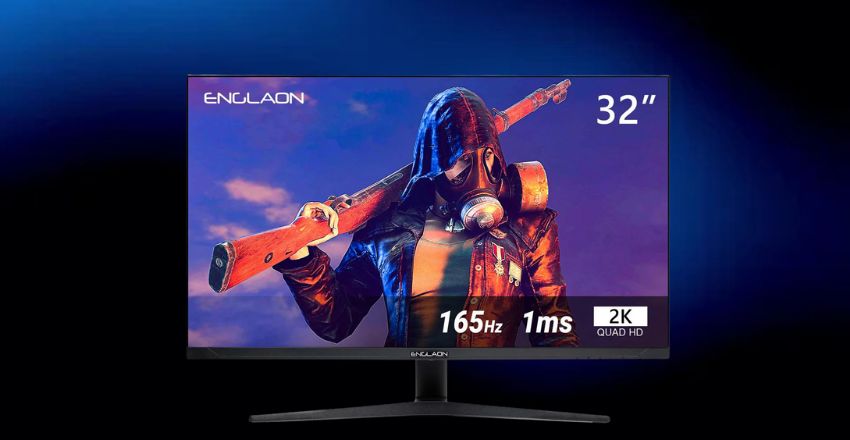
- The ideal size for a monitor is generally between 27 and 32 inches.
- At this size, the pixel density offers crisp visuals without the need for display scaling
- Smaller sizes may not showcase the resolution’s benefits, while larger sizes might reduce sharpness.
- A 27-inch monitor provides the best mix of screen real estate and image clarity, making it a favorite among gamers, professionals, and general PC users alike.
Work and Productivity
- For professionals and multitaskers, a monitor provides more workspace and sharper images.
- Designers, programmers, and video editors benefit from the added resolution, which improves precision and reduces scrolling.
- Office workers can run multiple windows side by side, boosting efficiency.
- A monitor also enhances video calls and presentations by displaying more detail.
- It’s a great investment for productivity without jumping to the higher costs of 4K displays.
Refresh Rate and Performance
Many monitors support higher refresh rates, ranging from 75Hz up to 165Hz. A higher refresh rate means smoother motion, especially useful for fast-paced gaming or video editing. Combined with a mid-to-high-end graphics card, a 2K monitor can deliver exceptional performance without overloading your system. Even during everyday use, smoother scrolling and transitions create a more pleasant viewing experience. Gamers and creative professionals especially appreciate this added responsiveness and fluidity.
Display Panel Types
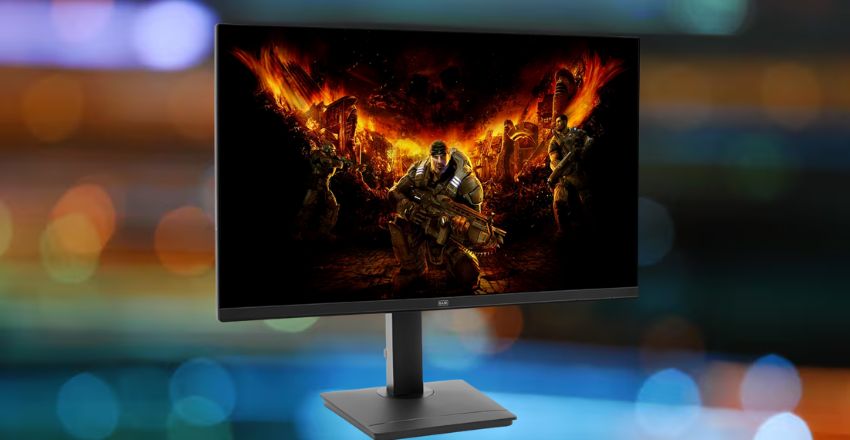
monitors come in different panel technologies: IPS, TN, and VA. IPS panels offer excellent color accuracy and wide viewing angles, making them ideal for creative work. TN panels are budget-friendly and have faster response times but limited color performance. VA panels strike a balance, offering strong contrast and decent visuals. Choosing the right panel depends on your needs—gaming, content creation, or office tasks—all are enhanced with a reliable monitor.
Connectivity Options Available
A typical monitor includes modern input options like HDMI, DisplayPort, and sometimes USB-C.
- These ports support high-resolution output and high refresh rates.
- DisplayPort is generally preferred for gaming due to better support for adaptive sync.
- Many monitors also feature built-in USB hubs or headphone jacks.
Matching your monitor’s ports with your PC or laptop ensures full compatibility and maximum performance, especially when connecting external devices or running multiple displays.
Ergonomics and Mounting Features
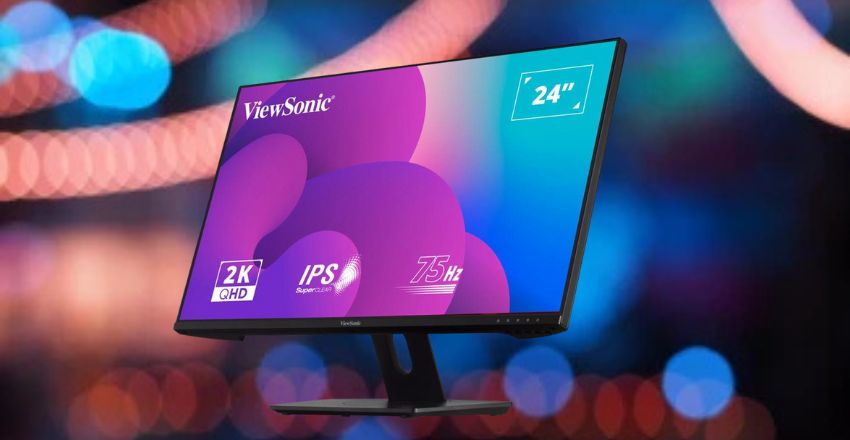
Ergonomic design is crucial for long sessions, and most 2K monitors come with adjustable stands for height, tilt, and swivel. These adjustments help reduce neck and eye strain. Many models are also VESA-compatible, allowing users to mount the monitor on an arm or wall. These mounting options free up desk space and improve viewing angles. Whether working or gaming, a monitor with good ergonomics enhances comfort and long-term usability.
Price and Value for Money
A 2K monitor offers a sweet spot between performance and cost. While more expensive than 1080p, it is significantly cheaper than most 4K monitors. Prices typically range from £191 to £491 depending on size, refresh rate, and features. For users seeking quality visuals without breaking the bank, 2K provides excellent value. With strong performance, sharper detail, and good upgrade potential, monitors are a practical choice for most users today.
Conclusion
A 2K monitor is a versatile and reliable display choice that offers excellent resolution, smoother refresh rates, and solid performance without the high demands of 4K. It’s well-suited for gaming, creative work, and multitasking, delivering clear visuals and greater workspace. With sizes between 27 and 32 inches and prices ranging from £191 to £491, it provides strong value. For users seeking quality, efficiency, and long-term usability, a 2K monitor remains a smart and future-ready investment.
Want to know about 4090 Graphics Card: Nvidia, Revolutionizing the Future of High-End Gaming and Professional Workloads with Unmatched Power and Efficiency Check out our Tech category.
FAQs
The best screen size for a monitor is between 27 to 32 inches, as this range balances pixel clarity with ample workspace for both productivity and entertainment.
No, mid-range graphics cards can handle monitors effectively, offering great visuals and performance without the extreme hardware demands required for smooth 4K gaming or rendering.
IPS panels are preferred in 2K for their superior color accuracy and viewing angles, making them excellent for creative tasks, while VA offers deeper contrast for multimedia.